Learning Outcomes
Upon successful completion of this lesson, students will be able to:
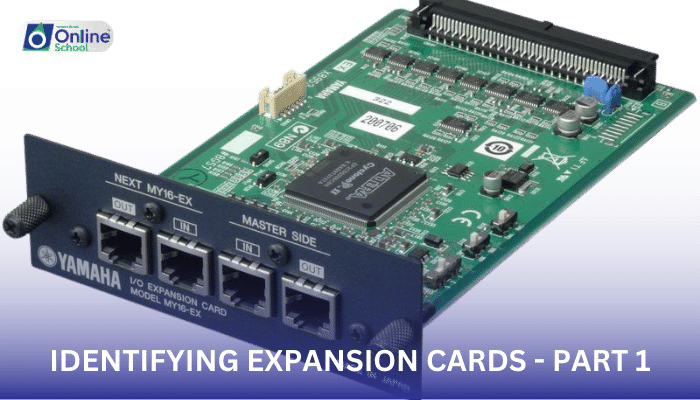
i. Define and explain the concept of expansion cards, recognizing them as additional hardware components that can be installed in a computer to enhance its functionality.
ii. Identify and describe the characteristics of sound cards, understanding their role in processing and outputting audio signals.
iii. Recognize the purpose of video cards, grasping their function in converting digital signals into graphical images displayed on the monitor.
iv. Explain the role of modem cards, understanding their ability to connect computers to the internet through dial-up connections.
v. Identify and describe the function of network cards, comprehending their role in enabling network connectivity for various purposes.
Introduction
In the realm of computers, expansion cards serve as versatile tools that extend the capabilities of a system beyond its standard configuration. They're like add-ons that provide specialized functions, enabling users to customize their machines to meet their specific needs and enhance their overall performance. This lesson delves into the world of expansion cards, specifically focusing on sound cards, video cards, modem cards, and network cards, revealing their unique roles and functionalities.
i. Sound Cards: The Symphony of Digital Audio
Sound cards act as the digital interpreters of audio signals, converting sounds from analog to digital form and vice versa. They're like the orchestra conductors in the computer's audio realm, processing and outputting sound signals to speakers or headphones, allowing users to enjoy music, videos, and games with rich and immersive sound experiences.
ii. Video Cards: Painting the Digital Canvas
Video cards, also known as graphics cards, serve as the visual architects of the computer, transforming digital data into the vibrant images displayed on the monitor. They're like the artists in the computer's visual world, manipulating and rendering graphics with precision, ensuring smooth video playback, seamless gaming experiences, and stunning visual presentations.
iii. Modem Cards: Bridging the Digital Divide
Modem cards, once essential components in the early days of internet connectivity, enabled computers to connect to the internet through dial-up connections. They're like the bridges that spanned the digital divide in the pre-broadband era, allowing users to access the vast expanse of the internet through telephone lines.
iv. Network Cards: The Gateways to Networked Worlds
Network cards, also known as NICs (Network Interface Cards), serve as the gateways that connect computers to wired or wireless networks. They're like the passports that enable computers to enter the digital neighborhood, facilitating communication with other devices, sharing files, and accessing network resources.
Expansion cards offer a versatile and customizable approach to enhancing the capabilities of a computer system. By understanding the roles and functionalities of sound cards, video cards, modem cards, and network cards, users can make informed decisions when selecting the appropriate components to tailor their machines to their specific needs and preferences. Whether it's the immersive sound of a high-end audio experience, the stunning visuals of a powerful graphics card, or the seamless connectivity of a network card, expansion cards provide the tools to transform a standard computer into a powerful and versatile tool.
